Google hides the switch to turn off photos/videos backup to your Google account.
The instructions they publish to do this are utter 🐎💩! Google IS Evil - here is a LIE for you!
Here are the correct instructions:
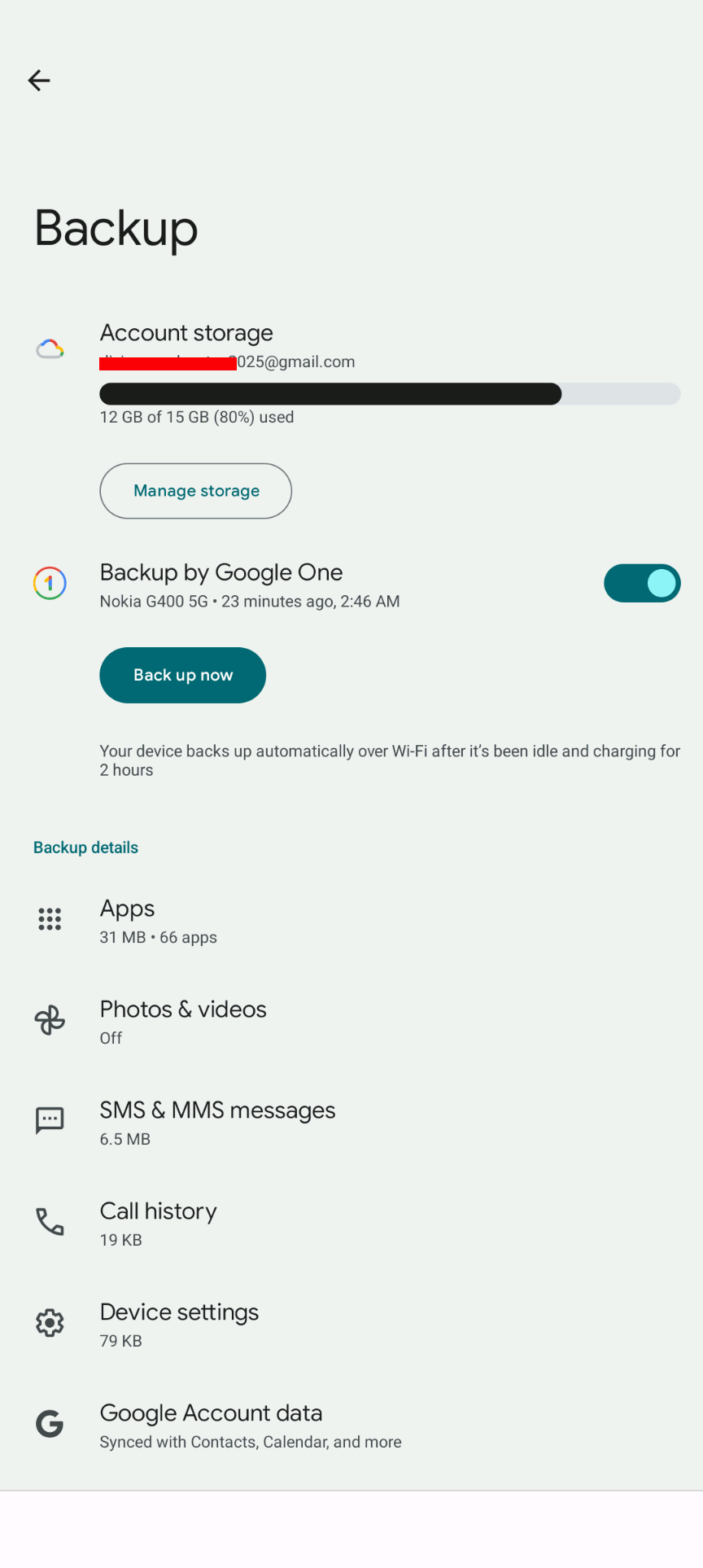
Open the "Google 1" Backup APP on your Android
Look under "Backup"
Under the icon for your device tap "View"
Under "Backup details" tap on the line "Photos & videos"
Turn the "Backup" switch to OFF
Visitor Number: